

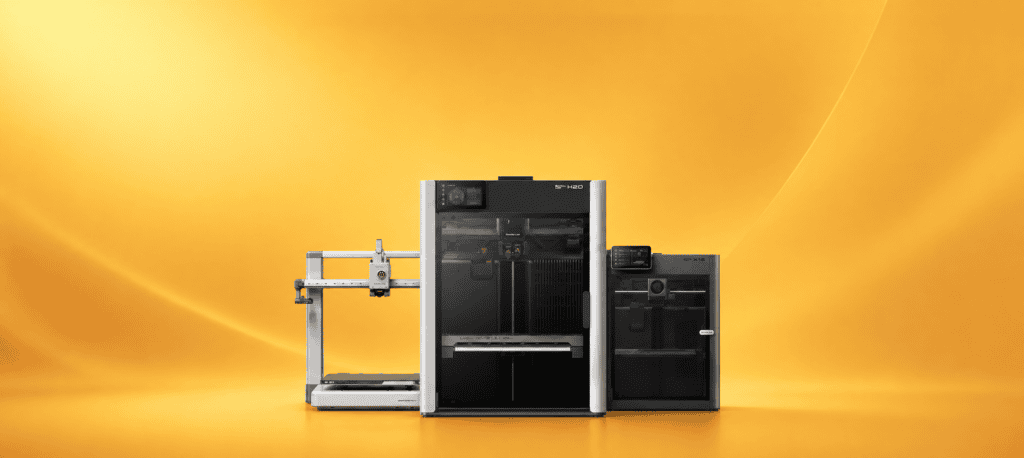
You’ve probably seen Bambu Lab everywhere if you’ve researched 3D printers.
This fresh company has caused a stir in the maker world. They promise easy printing that delivers results. But their 3D printer models cost anywhere from $199 to more than $3,000. Does Bambu Lab earn its reputation? Or does smart marketing create the hype?
We tested several Bambu Lab printers for months. We compared them to rival brands and spoke with actual users. Here’s what you must know before buying.
What Is Bambu Lab?
Bambu Lab creates desktop 3D printers. The consumer tech company started in 2022. Old brands have existed for decades, but Bambu Lab arrived with one clear goal: to make 3D printing easy for everyone.
The X1 series changed everything when it launched. Bambu Lab brought features from industrial machines to regular consumers. They offered automatic multi-color calibration, CoreXY speed, and more. Best of all, they kept prices affordable.
Bambu Lab serves beginners, experienced makers, and small businesses alike. Their 3D printer models work straight from the box. You don’t need endless tinkering.
What sets them apart? Three main things stand out: speed, reliability, and software that works. Other companies still made user-level beds and adjusted settings. Bambu Lab shipped printers that calibrated themselves and connected to cloud software.
Price Range
- A1 Mini: $199–$250
- A1: $339–$399
- P1S: $599–$699
- P2S: $799–$1,049 (with AMS combo)
- X1-Carbon: $1,199–$1,449
- H2C/H2D: $2,269–$3,149 (industrial multi-material models)
Bambu Lab Product Breakdown
A1 Mini: The Gateway Printer
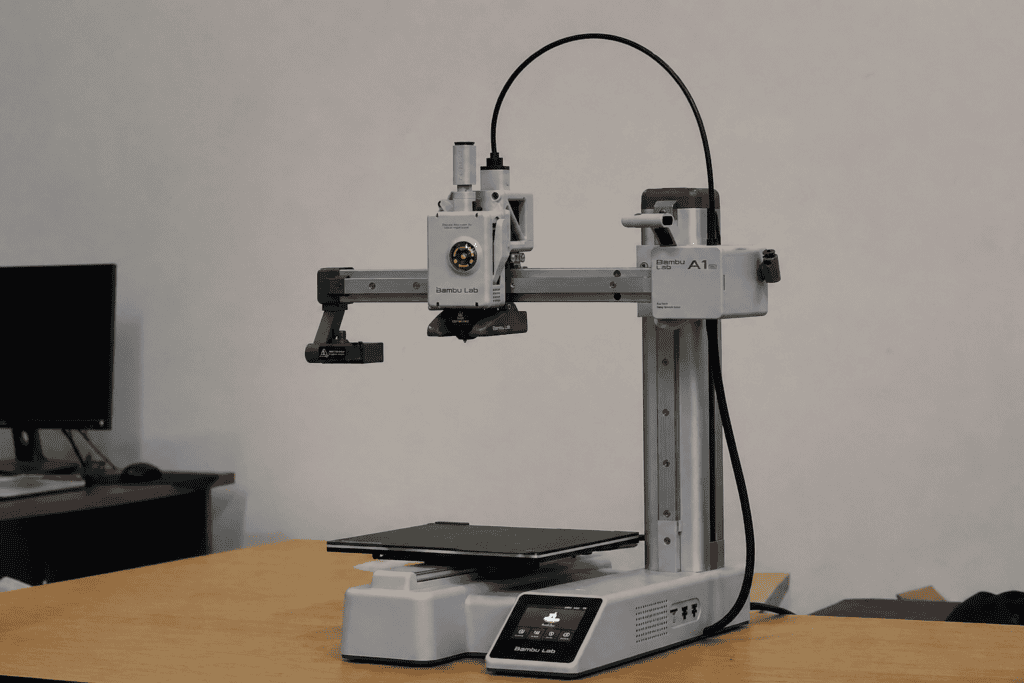
The A1 Mini serves as Bambu Lab’s starter model. It impresses for its price point.
Key Features: 180x180x180mm build volume, open-frame design, automatic bed leveling, vibration compensation, works with AMS Lite to print in 4 colors.
Who It’s Best For: First-time users, hobbyists with limited space, and anyone looking to try 3D printing without spending a lot of money.
Honest Assessment: This 3D printer performs far better than its price suggests. Setup takes 15 minutes. We printed quality models within an hour. The compact build volume limits bigger projects. But it handles miniature parts and most hobby prints.
The drawback? It uses an open-frame design. You can’t print high-temperature materials like ABS or ASA. It also makes more noise than enclosed models.
Price: $219–$329
Shop the A1 Mini on Bambu Lab’s official store
A1: The Sweet Spot
The A1 works like a larger A1 Mini. It features a 256x256x256mm build plate and a bigger 3.5-inch touchscreen.
Key Features: Bigger build volume, better screen, same automatic features, and AMS Lite compatible.
Who It’s Best For: Makers who need extra space, small businesses that run production batches, and anyone who found the A1 Mini too cramped.
Honest Assessment: This Bambu Lab model offers the best value in their entire lineup. You gain much more build space without jumping to the $800+ price range. We printed cosplay props and functional organizers without problems.
One quirk exists: some users (ourselves included) have experienced occasional Z-axis issues with very tall, thin prints around 60-70mm tall. Adding a brim fixed this issue. Still worth a mention though.
Price: $299–$399
Get the A1 with AMS Lite bundle
P2S: The Workhorse
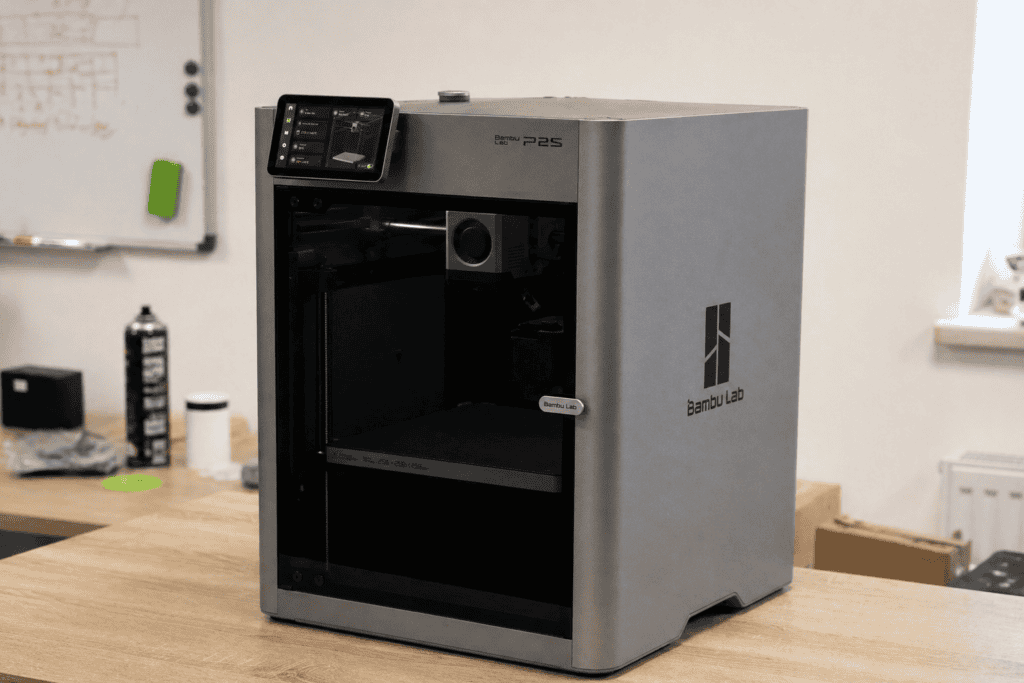
The P2S represents Bambu Lab’s newest enclosed 3D printer. It replaces the popular P1S model.
Key Features: enclosed CoreXY design, 256x256x256mm build volume, heated chamber, faster speeds, quieter operation, and support for engineering-grade materials.
Who It’s Best For: Serious hobbyists, small businesses, anyone printing with ABS/ASA/nylon, and users wanting a quieter 3D printer.
Honest Assessment: This model shows where Bambu Lab excels. The enclosure creates a huge difference – it runs quieter, handles temperature-sensitive materials, and blocks dust. The CoreXY design delivers faster, more accurate prints than bed-slinger models.
It costs more money. But if you’re into 3D printing, this printer deserves your attention.
Price: $549–$799 (combo with AMS).
X1-Carbon: The Premium Option
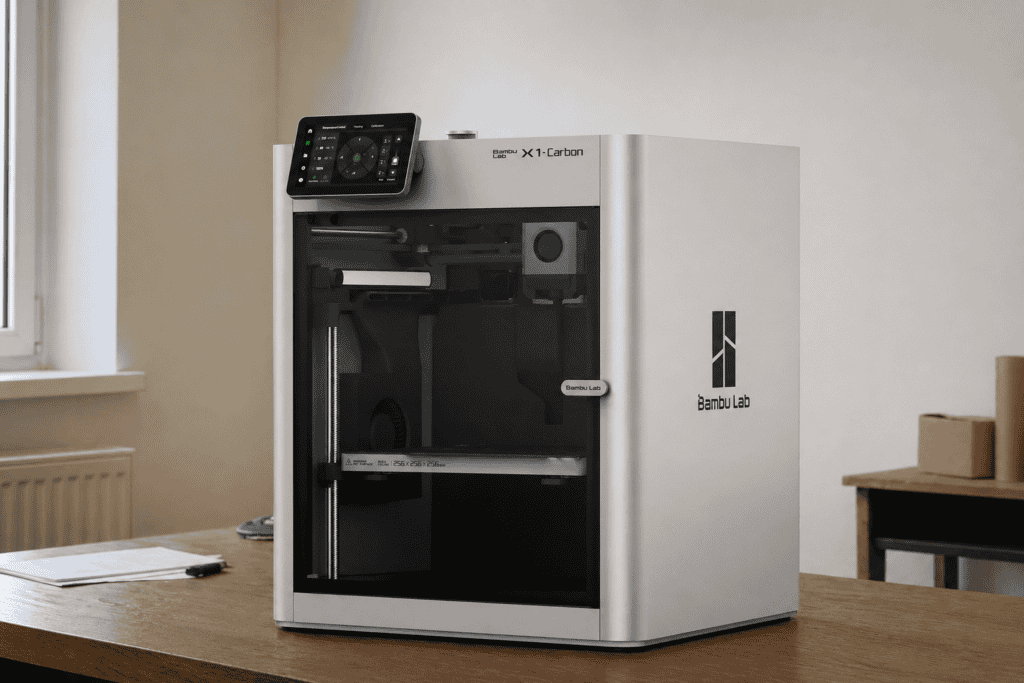
The X1-Carbon is Bambu Lab’s flagship 3D printer, featuring every advanced feature.
Key Features: Complete enclosure, hardened steel nozzle, heated chamber reaching 150°C, built-in camera with AI monitoring, carbon fiber, and engineering material support.
Who It’s Best For: Professional users, engineering applications, and anyone who needs to print with exotic materials.
Honest Assessment: Most hobbyists don’t need this much power. But if you require these capabilities, no other 3D printer matches this value. The AI failure detection catches problems. The material versatility beats everything else.
Price: $1,199–$1,449
Explore the X1-Carbon specifications
Pros and Cons
Pros
- plug-and-play: Setup takes minutes, not hours
- Outstanding print quality: Rivals 3D printers costing twice as much
- Fast printing speeds: 2-3x faster than most competitors
- Automatic calibration: No manual bed leveling or endless tinkering
- Multi-color printing made easy: The AMS system works
- Great software: Bambu Studio offers intuitive features
Cons
- Cloud dependency: Some features need an internet connection and a Bambu Lab account
- Limited third-party compatibility: Works best within Bambu’s ecosystem
- Early A1 models had a recall: Cable fire hazard (now resolved, but worth knowing)
- Proprietary parts: You can’t swap in generic components
- Multi-color printing wastes filament: The purging process uses significant material
Who Is Bambu Lab Best For?
Bambu Lab is perfect for:
- Complete beginners who want to start printing right away without steep learning curves
- Experienced makers are tired of constant 3D printer maintenance and troubleshooting
- Small businesses need reliable production capabilities
- Multi-color enthusiasts who want hassle-free color switching with AMS
- Anyone who values their time over tinkering with printer settings
Bambu Lab is NOT ideal for:
- Hardcore tinkerers who enjoy modifying every aspect of their 3D printer
- Budget-conscious buyers who don’t mind manual calibration to save money
- Users in areas with unreliable internet (cloud features require connectivity)
- Those who prefer open-source solutions
Bambu Lab vs Alternatives
Bambu Lab vs Prusa
Prusa has dominated the market for years with rock-solid reliability and open-source dedication. The Prusa MK4S ($799) delivers comparable quality to Bambu Lab, but it prints slower and takes longer to assemble. Prusa’s multi-material system (MMU3) proves unreliable compared to Bambu Lab’s AMS.
Winner: Bambu Lab for simplicity and speed; Prusa for open-source values and community backing.
Bambu Lab vs Creality
Creality offers budget-friendly options like the Ender 3 series ($200–$300). These 3D printers demand constant tinkering and adjustments. Choose Creality if you love 3D printer maintenance as a hobby. Choose Bambu Lab if you want to create prints.
Winner: Bambu Lab, unless extreme budget constraints matter most.
Final Verdict
Should you buy a Bambu Lab printer?
Yes – if you want a 3D printer that delivers on what it promises.
We’ve evaluated dozens of 3D printers throughout the years. Bambu Lab represents a genuine breakthrough in the industry. The combination of speed, reliability, and user-friendliness remains unbeatable at these price ranges.
Start with the A1 Mini to explore ($199). Move up to the A1 for additional build space ($399). Choose the P2S for serious hobby work or small business needs ($799).
Skip Bambu Lab if you want open-source platforms or enjoy 3D printer maintenance as entertainment. For everyone else, these 3D printers set the standard in 2026.
Browse the complete Bambu Lab printer collection
Frequently Asked Questions
Do Bambu Lab printers require an internet connection?
Most features work offline, but initial setup, firmware updates, and cloud printing require an internet connection. You can use LAN-only mode for local network printing without cloud access. However, some features, such as remote monitoring, won’t work.
Can I use third-party filament with Bambu Lab printers?
Yes, absolutely. While Bambu Lab filament has RFID tags for automatic detection, you can manually input settings for any brand. We’ve successfully used filament from Overture, Hatchbox, and Polymaker without issues.
Is the AMS (Automatic Material System) worth it?
If you want to print multi-color models, yes. It’s the most reliable multi-material system we’ve tested. However, be aware that color purging wastes significant filament – sometimes as much as the actual print. Budget accordingly.
How loud are Bambu Lab printers?
The enclosed models (P2S, X1-Carbon) are reasonably quiet – about as loud as a desktop computer. The open-frame models (A1, A1 Mini) are louder due to exposed fans and the nozzle cleaning process. None are silent, but they’re quieter than most competitors.
What happened with the A1 recall?
Early A1 units had a cable that could be shorted, potentially causing a fire. Bambu Lab issued a recall and offered free repair kits or replacements. All units shipped after the recall have the fix. If buying used, verify that the seller received the repair kit.
For official recall details and registration, visit the Bambu Lab A1 Recall Support Page or see the U.S. Consumer Products Safety Commission recall announcement.
For community discussions and user experiences, see the r/3Dprinting Reddit thread on the A1 recall.


