
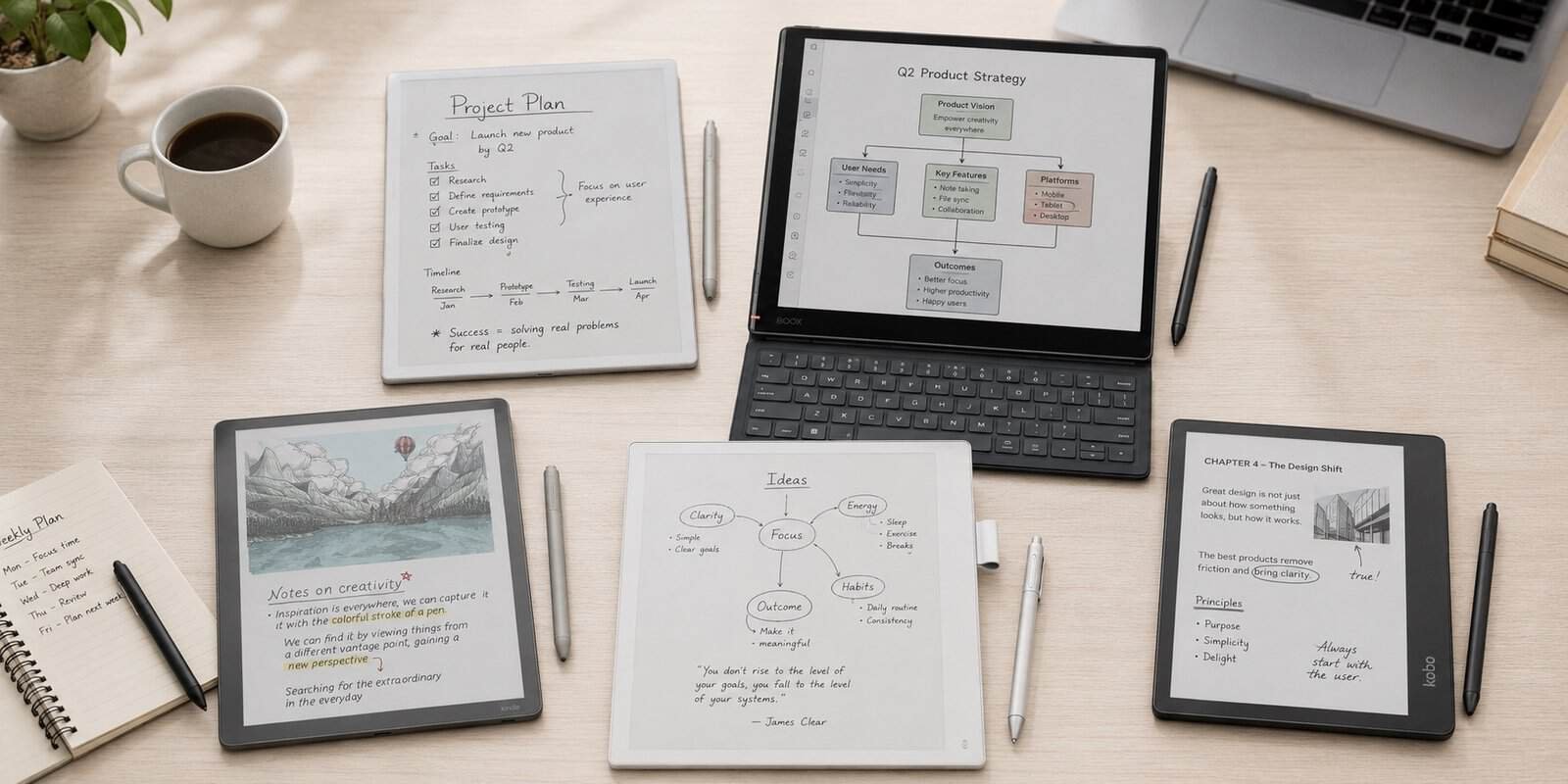
Paper notebooks are wonderful right up until you need the note you wrote three months ago. Then you are flipping through pages, trying to remember which notebook it was in, while the meeting has already moved on.
Digital notebooks try to solve that problem without turning note-taking into another bright, notification-heavy tablet experience. You still write with a pen on an E-Ink screen, but your pages can be organized, searched, exported, synced, and reused instead of disappearing into a drawer.
The category has also become much more interesting in 2026. reMarkable now has a large color Paper Pro, BOOX has pushed its Note Air line to Android 15, Amazon offers the Kindle Scribe Colorsoft, and Supernote continues to build one of the deepest handwritten-note systems available. Kobo remains the straightforward reading-first alternative.
For this Best Digital Notebooks 2026 guide, we compared current US pricing, display technology, writing tools, file support, app ecosystems, battery design, cloud features, and independent reviews. We are not looking for the tablet with the longest specification sheet. We are looking for the one that best replaces the specific pile of paper you actually use.
If your main goal is illustration rather than meetings, study notes, or PDFs, our Huion review explains why a drawing tablet is usually the better tool.
Quick Picks
| Notebook | Best For | Display | Storage | Battery | Price |
| reMarkable Paper Pro | Best overall for focused writing | 11.8-inch color | 64 GB | Up to 2 weeks | $629 |
| BOOX Note Air5 C | Best for apps and flexibility | 10.3-inch color | 64 GB + microSD | 3,700 mAh | $529.99 |
| Kindle Scribe Colorsoft | Best for reading + notes | 11-inch color | 32/64 GB | Weeks | $629.99 |
| Supernote Manta | Best for serious note organization | 10.7-inch B&W | 32 GB + microSD | 3,600 mAh | $505 |
| Kobo Elipsa 2E | Best value for readers | 10.3-inch B&W | 32 GB | Weeks | $399.99 |
What Is a Digital Notebook?
A digital notebook is an E-Ink tablet designed primarily for handwriting, reading, and document annotation. Unlike an iPad or Android LCD tablet, the screen reflects surrounding light more like printed paper and can hold an image without continuously refreshing it.
That difference is why these devices can run for days or weeks instead of hours and remain comfortable in bright sunlight. E-Ink is also slower than a conventional display. Scrolling, video, animations, and fast app switching are not what these screens are built for.
The useful middle ground is focus. You can write a page, reorganize it, turn handwriting into text, mark up a PDF, send it to a laptop, and keep thousands of pages in one thin device without opening social media by accident.
The five products below all use that basic idea differently. reMarkable removes almost everything that might distract you. BOOX behaves more like a real Android tablet. Kindle treats the notebook as an extension of reading. Supernote goes unusually deep on organizing handwriting. Kobo keeps the entire experience simple and book-centered.
For a simple explanation of why E-Ink looks and behaves differently from an LCD screen, E Ink’s own paper-like display overview is a useful background read.
The 5 Best Digital Notebooks in 2026
1. reMarkable Paper Pro – Best Overall for Focused Writing

Price: From $629, Marker included
Display: 11.8-inch Canvas Color, 2160 x 1620, 229 ppi
Storage: 64 GB
reMarkable Paper Pro is the easiest digital notebook to understand. It is deliberately not trying to become an iPad. There is no app store, no social feed, no video platform, and no row of notifications waiting to pull you away from the page.
The 11.8-inch Canvas Color display is large enough for full-page PDFs, project plans, handwritten meeting notes, and side-by-side thinking without constantly zooming. It can render up to 20,000 colors, but the important word is muted. This is electronic paper color, not the saturated color of an OLED tablet. Charts, highlights, diagrams, and annotations benefit from it; movies and glossy photos do not.
Writing latency is rated at 12 milliseconds, and the textured glass surface adds noticeable friction under the Marker. In everyday use, that means the pen does not feel like it is skating across smooth glass. People who enjoy a pencil-on-paper sensation tend to notice this more than they notice processor speed or RAM.
The adjustable reading light is another practical upgrade over older minimalist E-Ink notebooks. You can use Paper Pro in a dim bedroom, lecture hall, or airplane cabin without reaching for a lamp. Battery life is rated for up to two weeks, and 64 GB of storage is far more than most handwritten-note users will realistically fill.
The software is where reMarkable earns its premium. You can use folders and tags, convert handwriting to typed text, import PDFs and EPUBs, export PDF/PNG/SVG files, and connect Google Drive, Microsoft OneDrive, and Dropbox. A Type Folio can turn it into a very focused writing machine for drafts and meeting notes.
The limitation is just as intentional: Paper Pro is not flexible. If your workflow depends on OneNote, Notion, Slack, Gmail, Kindle books, browser research, or niche Android apps directly on the device, reMarkable will feel restrictive. Some cloud and cross-device conveniences are also better with the optional Connect subscription.
For someone who wants one calm place to think, annotate, and write, that restriction is the point. For someone who wants one tablet to do everything, it is the problem.
Best for: Professionals, students, researchers, and habitual note-takers who value focus more than apps.
Skip it if: You need third-party apps, rich web browsing, video, or a traditional tablet workflow.
2. BOOX Note Air5 C – Best for Apps and Flexibility
Price: $529.99
Display: 10.3-inch Kaleido 3 color E-Ink, 300 ppi B&W / 150 ppi color
Memory: 6 GB RAM, 64 GB storage, microSD expansion
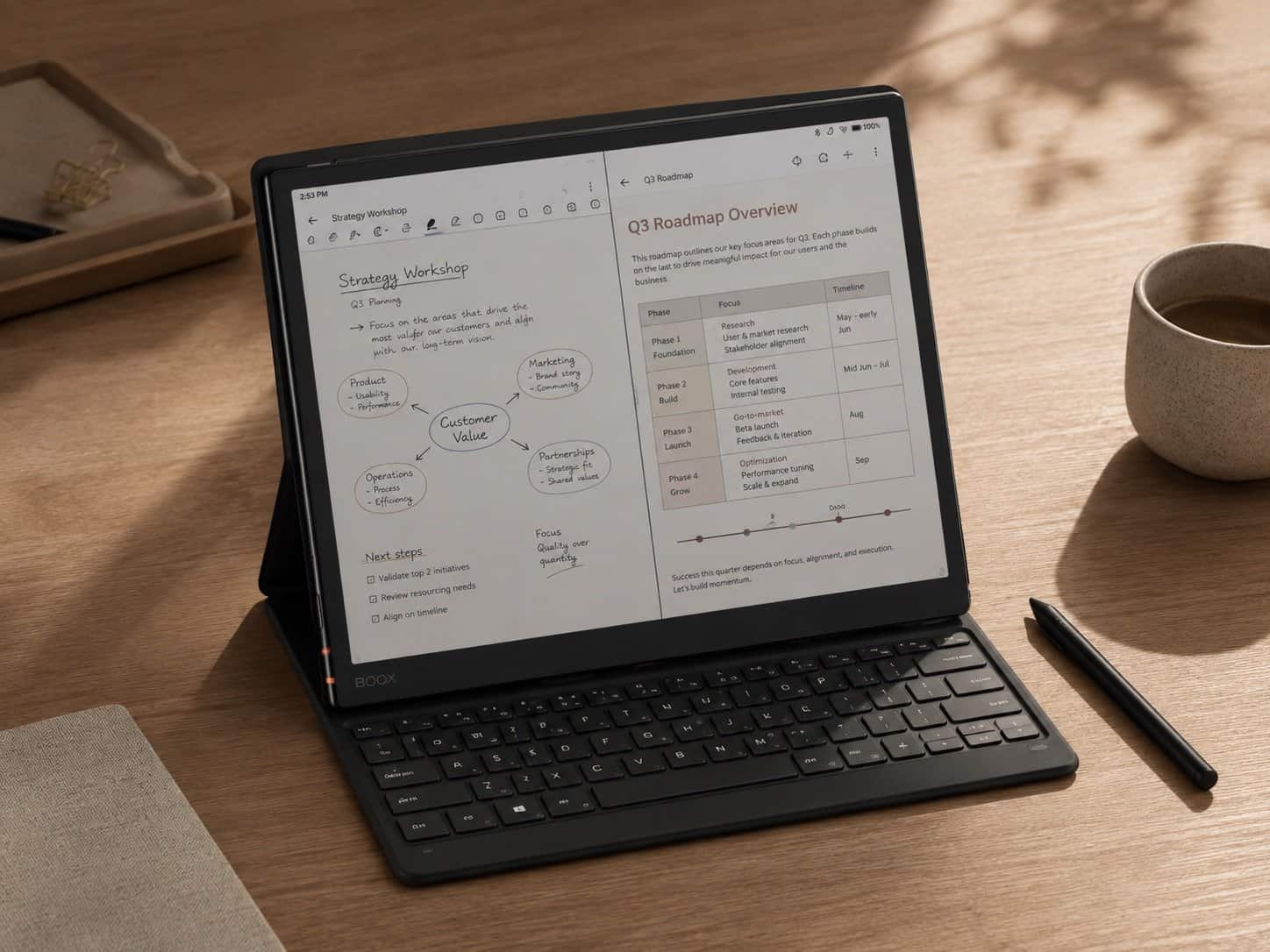
BOOX Note Air5 C is almost the opposite of reMarkable. Instead of protecting you from software, it gives you Android 15 and access to third-party apps. Kindle, OneNote, Google Drive, Dropbox, productivity tools, reading apps, and many other Android services can live on the same E-Ink device.
That freedom changes what a digital notebook can replace. You can annotate a PDF, write notes with the included Pen3, open a cloud document, read a Kindle book, connect a keyboard, and handle light office work without moving to another device.
The hardware is also much closer to a conventional tablet than most competitors. It has 6 GB of RAM, 64 GB of storage, a microSD slot, dual speakers, a microphone, fingerprint recognition, auto-rotation, Wi-Fi, Bluetooth 5.1, and support for a magnetic keyboard cover.
The 10.3-inch Kaleido 3 screen displays black-and-white content at 300 ppi and color at 150 ppi. That distinction matters. Text looks crisp, while color is softer and less detailed. Color is useful for highlighting, diagrams, dashboards, textbook figures, and handwritten organization, but it is not a replacement for a high-resolution LCD when color accuracy matters.
BOOX Super Refresh technology makes scrolling and app navigation faster than on traditional E-Ink devices, but physics still wins. Fast-moving interfaces can show ghosting, animations look rough, and some Android apps were never designed for electronic paper. The flexibility is real; the experience is not always as polished as an iPad.
For power users, that trade is worth it. The Note Air5 C is the best option here if you already know exactly which apps your workflow needs and do not want a manufacturer deciding that for you.
If you are building a travel or remote-work setup around a laptop rather than replacing it, our guide to the best portable monitors for laptops covers the other half of the mobile productivity equation.
Best for: OneNote users, Android power users, researchers, office workflows, and people who switch between many reading platforms.
Skip it if: You want the simplest interface possible or expect tablet-smooth animation and scrolling.
Check the current BOOX Note Air5 C price
3. Kindle Scribe Colorsoft – Best for Reading and Notes in One Device
Price: From $629.99
Display: 11-inch color display with adjustable front light
Storage: 32 GB or 64 GB
Kindle Scribe Colorsoft makes the most sense when the notebook is not actually your first priority. It is a large Kindle first, with a serious note-taking system built around it.
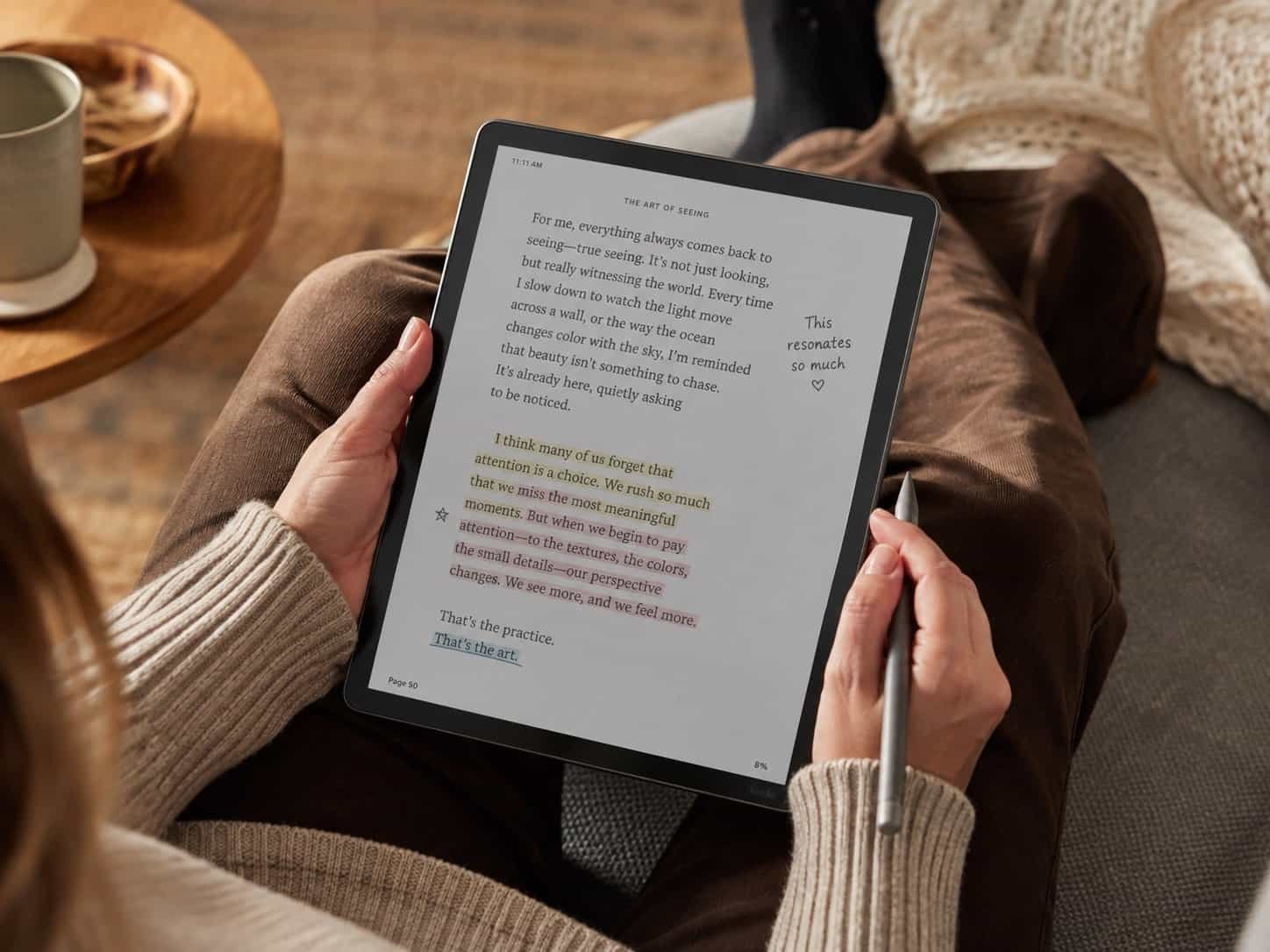
That gives Amazon one advantage the other devices cannot easily copy: the book library is already there. You can move from a novel or textbook into a notebook without managing EPUB files manually, and you can write in color across notebooks, books, and documents with the included Premium Pen.
The 11-inch display is large enough for PDFs and handwritten pages while remaining comfortable for long reading sessions. Amazon redesigned this generation to be 5.4 mm thin and about 400 g, and the front light adjusts for darker environments. Battery life is measured in weeks rather than days.
Amazon has also pushed the Scribe further into productivity. Current models support notebook search, handwriting refinement, note summaries, handwriting-to-text conversion, document connections with Google Drive and Microsoft OneDrive, and export to Microsoft OneNote. Smart Shapes can clean up basic lines, arrows, circles, triangles, and rectangles.
Color sounds like the headline feature, but it is most useful for organization: different highlight colors, annotated textbooks, planning, and diagrams. As with every color E-Ink screen, it is softer and less vivid than a normal tablet.
The weakness is that Amazon still controls the environment. You are buying into Kindle, not a general-purpose E-Ink computer. The note tools have improved dramatically, but Supernote and reMarkable remain more purpose-built for complex handwritten knowledge systems, while BOOX gives you far more software freedom.
At $629.99, Scribe Colorsoft is also expensive if you only want a digital notepad. Its value rises sharply if you already spend hours reading Kindle books and want one large device for both reading and handwriting.
Best for: Heavy Kindle readers, students reading long-form material, and users who want one device for books and handwritten notes.
Skip it if: You want the deepest note organization, open Android apps, or the best value purely for handwriting.
View Kindle Scribe Colorsoft on Amazon
4. Supernote Manta – Best for Serious Handwritten Note Organization
Price: $505 before pen and folio options
Display: 10.7-inch flexible monochrome E-Ink, 1920 x 2560, 300 ppi
Storage: 32 GB, expandable by microSD up to 2 TB
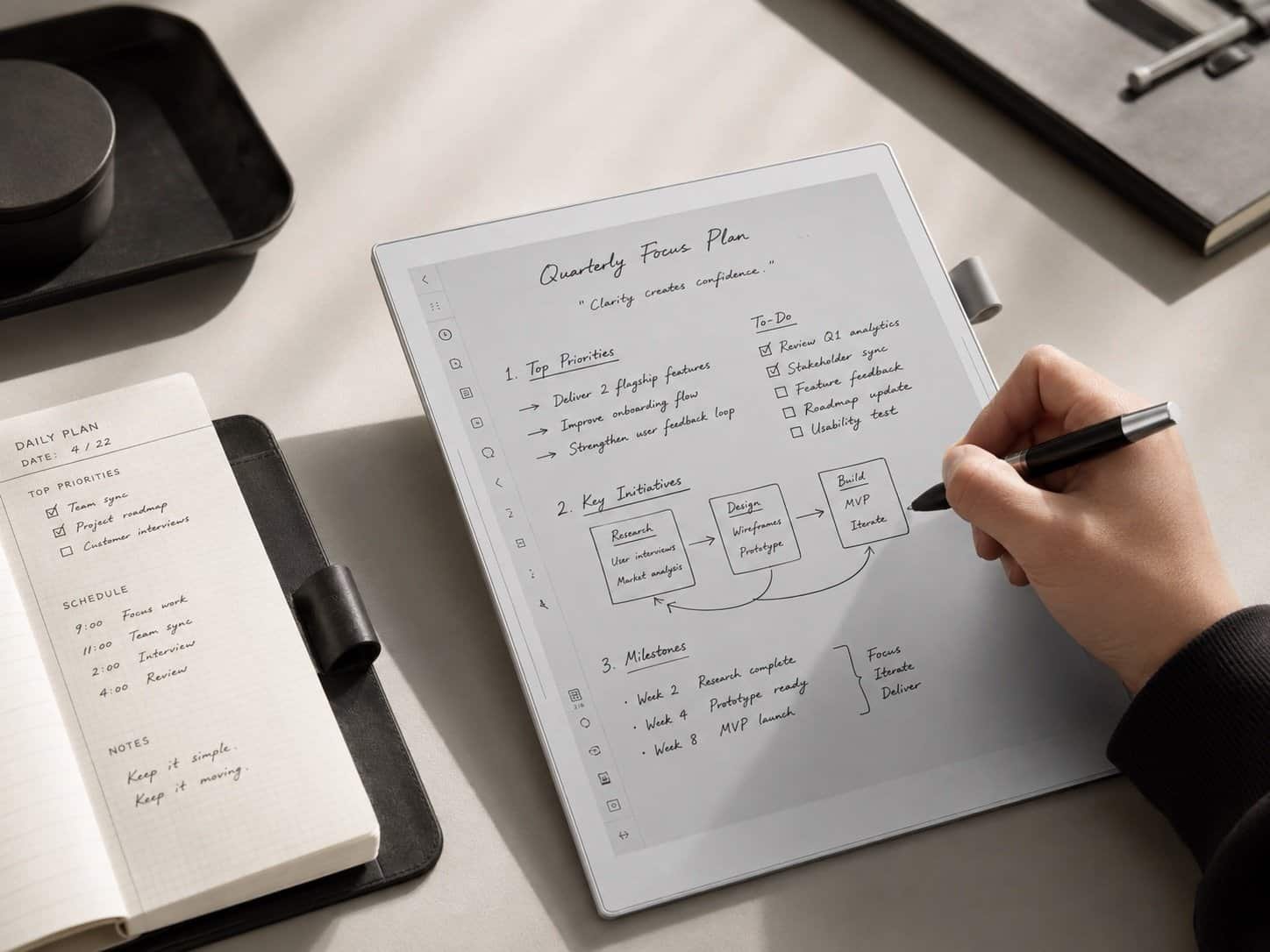
Supernote Manta is the least flashy device in this guide and possibly the most interesting for people who take a lot of handwritten notes. There is no color display and no front light. Instead, Supernote spends its effort on writing feel, organization, longevity, and navigation inside large bodies of notes.
The 10.7-inch flexible E-Ink screen runs at 300 ppi and is covered by the FeelWrite 2 self-recovery film. Supernote pairs it with ceramic-nib pens that are designed not to require the regular nib replacement common with many styluses. The sensation is slightly different from reMarkable’s scratchier pencil-like surface; it feels more like a smooth gel pen on paper.
The real advantage appears after you have created hundreds of pages. Supernote lets you turn handwritten text into headings, add keywords and stars, build links between pages, and navigate notes through those structures. Instead of treating handwriting as a stack of digital paper, it lets you build something closer to a personal wiki written by hand.
Manta is also unusually repair-minded. The battery is replaceable, the motherboard is designed to be upgradable, and storage can be expanded with a microSD card. That matters in a category where many premium tablets are sealed appliances that become difficult to justify once the battery ages.
The compromise is convenience. There is no built-in front light, so nighttime use requires external lighting. Color-coded notes are impossible. The device is also deliberately more focused than BOOX, so buyers wanting a broad app ecosystem should look elsewhere.
Supernote is therefore a niche recommendation, but a very strong one. If your notebook contains client histories, research connections, project references, meeting chains, or a personal knowledge base that needs to remain useful for years, its software structure matters more than color.
Best for: Researchers, writers, consultants, journalers, and anyone building a large interconnected archive of handwritten notes.
Skip it if: You regularly work in dark rooms, need color, or want a full Android app ecosystem.
5. Kobo Elipsa 2E – Best Value for Readers
Price: $399.99, Kobo Stylus 2 included
Display: 10.3-inch E Ink Carta 1200, monochrome
Storage: 32 GB
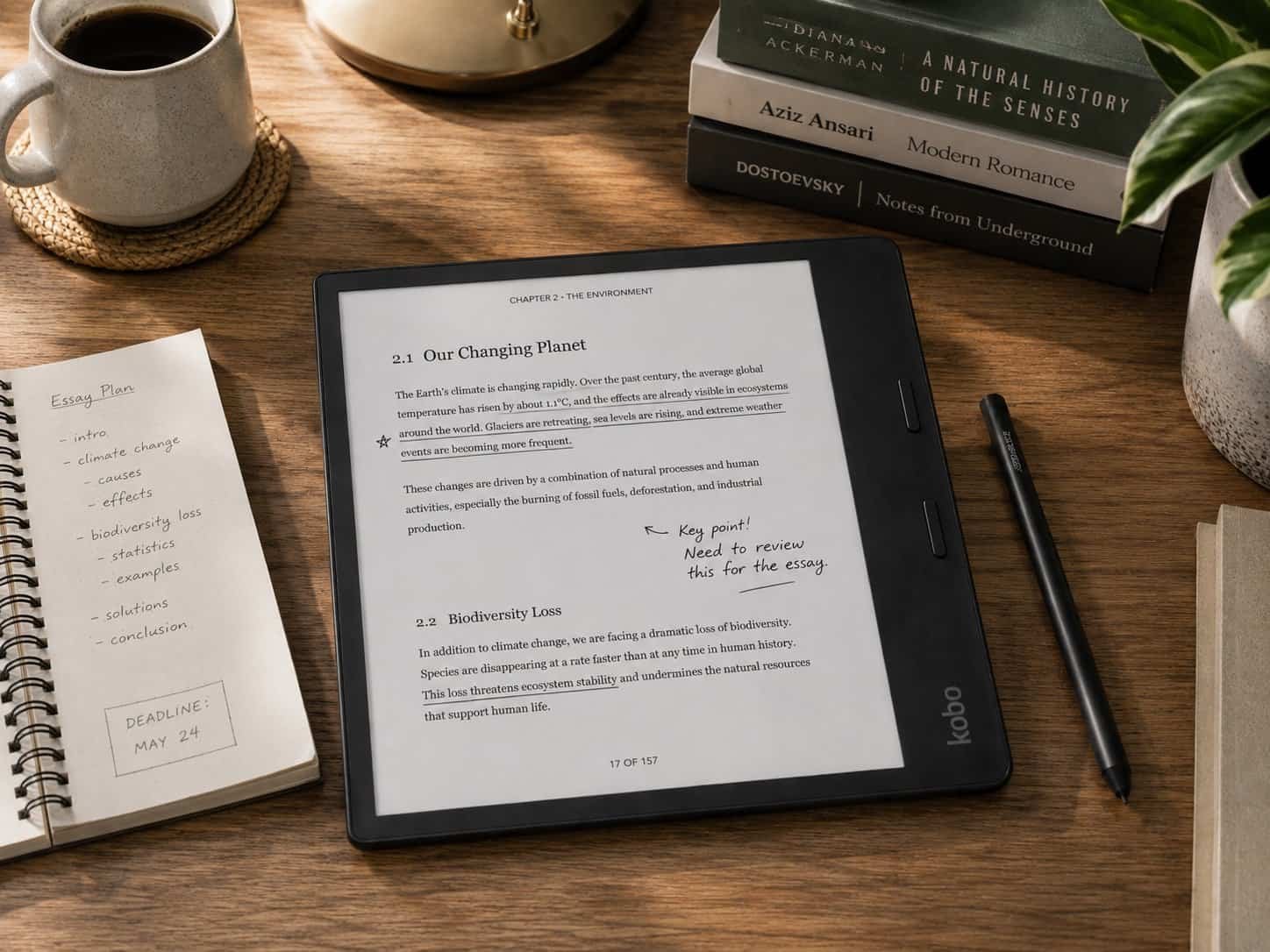
Kobo Elipsa 2E is the least fashionable device in this group, which is part of why it remains easy to recommend. It does not try to turn E-Ink into an AI workstation. It gives you a large reading screen, a stylus, notebooks, PDF markup, cloud integration, and weeks of battery life for $399.99.
The 10.3-inch E Ink Carta 1200 screen is black and white, with ComfortLight PRO for adjustable brightness and reduced blue light in the evening. The included Kobo Stylus 2 lets you write directly on compatible eBooks and PDFs or create separate notebooks.
Google Drive and Dropbox integration make it practical for moving documents in and out, while 32 GB of storage is enough for a very large ebook and document library. Bluetooth support also allows Kobo Audiobooks.
The biggest advantage is simplicity. If your routine is reading books, marking passages, annotating PDFs, and writing occasional pages of notes, you are not paying for Android, color hardware, or advanced knowledge-management software you may never touch.
The weaknesses are equally clear. It is not waterproof, the interface and note system are less sophisticated than Supernote or reMarkable, and the monochrome screen is less useful for diagrams or color-coded study material. Kobo also feels more like an e-reader with notebook features than a notebook that happens to read books.
For many people, that is exactly right. A $630 digital notebook is difficult to justify if the main goal is reading with a pen in hand. Elipsa 2E gets much closer to the price of a premium e-reader while still giving you a full-size writing surface.
Best for: Readers, students annotating PDFs, Kobo users, and buyers who want a large writing screen under $400.
Skip it if: You need color, advanced handwriting organization, third-party apps, or water resistance.
Which Digital Notebook Should You Buy?
The easiest way to choose is to answer three questions before looking at processor speeds, storage numbers, or AI features.
1. Is Writing or Reading More Important?
If handwriting is the main job, start with reMarkable Paper Pro or Supernote Manta. reMarkable has the cleaner overall experience and color; Supernote has the deeper long-term organization system.
If reading is equally important, Kindle Scribe Colorsoft and Kobo Elipsa 2E make more sense. Kindle wins for the Amazon ecosystem and modern productivity features. Kobo wins on price and straightforward ebook annotation.
2. Do You Need Third-Party Apps?
If the answer is yes, BOOX Note Air5 C is the obvious choice. Android 15 means you can install the services your workflow already uses instead of rebuilding that workflow around the notebook manufacturer.
If the answer is no, the more limited platforms can actually be better. Fewer apps mean fewer menus, fewer compatibility issues, and fewer reasons to drift away from the page.
3. Will You Actually Use Color?
Color is worth paying for if you annotate charts, study textbooks, highlight in categories, review visual PDFs, sketch diagrams, or need different ink colors to understand a page quickly.
It is much less important for meeting notes, journaling, outlines, to-do lists, and long-form writing. Monochrome E-Ink is usually sharper, cheaper, and often easier to read. Do not pay hundreds more for color just because the product page looks more impressive.
For a reality check on how these devices compare in long-term hands-on use, WIRED’s updated 2026 digital notebook guide is one of the more useful independent comparisons.
Digital Notebook vs iPad: Which One Makes More Sense?
An iPad is dramatically more powerful than every device in this guide. It has better color, faster apps, video, multitasking, cameras, keyboards, and a much larger software library. If you want one tablet for everything, buy the iPad.
A digital notebook wins when doing less is the feature. The screen is readable outdoors, battery life is measured in days or weeks, and handwriting does not sit one swipe away from YouTube, email, or a game. For people who lose focus easily on a normal tablet, that difference can be worth more than raw performance.
E-Ink also feels calmer for long sessions of reading and writing, but it comes with visible compromises: slower refresh, occasional ghosting, weaker color, and less fluid scrolling. These are not defective tablets. They are displays optimized for static information rather than motion.
If your workday already includes a laptop, the digital notebook can make sense as a dedicated thinking surface beside it rather than as a replacement computer.
For meetings where your notebook sits beside a laptop, camera quality can matter just as much as the writing surface; our OBSBOT review covers AI webcams built specifically for that kind of desk setup.
Pros and Cons
Pros
- Paper-like, glare-free reading and writing
- Battery life measured in days or weeks
- Handwritten notes become searchable and shareable
- Excellent for PDFs, meetings, study, and planning
- Far fewer distractions than a normal tablet
- Thousands of pages in one thin device
Cons
- Expensive compared with paper notebooks
- Slower than LCD and OLED tablets
- Color is muted and lower-resolution on many models
- Some platforms restrict apps and file workflows
- Premium accessories can add significantly to the price
- Not a good replacement for video or graphics-heavy work
Who Should Buy a Digital Notebook?
A digital notebook makes the most sense for someone who already writes by hand. If you never reach for paper now, buying a $500 E-Ink tablet probably will not suddenly turn you into a dedicated note-taker.
The strongest use cases are recurring meetings, university lectures, research, client notes, journaling, planning, PDF review, and any job where pages accumulate faster than you can organize them.
They are also useful for people who want less screen distraction. You still get digital storage and search without carrying a conventional tablet that constantly invites you to do something else.
Skip the category if you mainly type, need video or complex spreadsheets, rely heavily on multitasking, or want one entertainment device for travel. A laptop or normal tablet will give you much more capability for the money.
Final Verdict
reMarkable Paper Pro is the best digital notebook for most people who genuinely want to replace paper. Its large color screen, excellent writing feel, simple software, PDF workflow, and deliberate lack of distractions make it the most coherent product in the category. The $629 price is high, but the device knows exactly what it is for.
BOOX Note Air5 C is the smarter purchase if reMarkable feels too restrictive. Android 15, expandable storage, keyboard support, and third-party apps make it far more flexible, at the cost of a busier and occasionally less polished E-Ink experience.
Kindle Scribe Colorsoft is the best hybrid for people who read as much as they write. Supernote Manta is the specialist choice for serious handwritten knowledge management and long-term repairability. Kobo Elipsa 2E is the value pick for readers who want annotation and notebooks without spending more than $600.
The best digital notebook is not the one with the most features. It is the one that removes the exact friction that makes your current paper system fail – lost pages, unsearchable notes, messy PDFs, or too many separate notebooks – without replacing those problems with a more complicated digital workflow.
FAQ
What is the best digital notebook in 2026?
reMarkable Paper Pro is the best overall choice for focused handwriting, PDF annotation, and organization. BOOX Note Air5 C is better if you need Android apps, while Kindle Scribe Colorsoft is better for people who prioritize reading.
Can a digital notebook really replace paper?
Yes, if your paper use is mainly notes, planning, journaling, PDFs, and meeting pages. It is less convincing for loose sketches, disposable notes, or situations where a $5 notebook is simply easier.
Is reMarkable better than Kindle Scribe?
reMarkable is better as a dedicated digital notebook, with stronger writing workflows and fewer distractions. Kindle Scribe is better if you already use Kindle heavily and want reading and handwriting in the same device.
Is BOOX better than reMarkable?
BOOX is more flexible because it runs Android and supports third-party apps. reMarkable is simpler and more focused. The better choice depends on whether app freedom or distraction-free writing matters more to you.
Do digital notebooks need a subscription?
Most core functions do not require one. reMarkable offers an optional Connect plan for expanded cloud and cross-device features. BOOX, Kindle, Supernote, and Kobo can all be useful without a mandatory note-taking subscription, although some connected services may have their own fees.
Are color E-Ink tablets worth it?
Color is useful for highlights, diagrams, textbooks, planning, and annotated PDFs. For plain handwriting, journaling, and reading, monochrome models are usually sharper and more affordable.
Which digital notebook is best for students?
Kindle Scribe Colorsoft is strong for students who read heavily, while reMarkable Paper Pro is better for lecture notes and PDF organization. Kobo Elipsa 2E is the lower-cost option, and BOOX Note Air5 C is best when specific Android study apps are essential.

